 O'Chat
Client communication, finally simple
Emails get lost. WhatsApp is chaos. Phone calls disappear. O'Chat connects your Odoo directly to your clients' — one channel, full history, zero friction.
See O'Chat in action
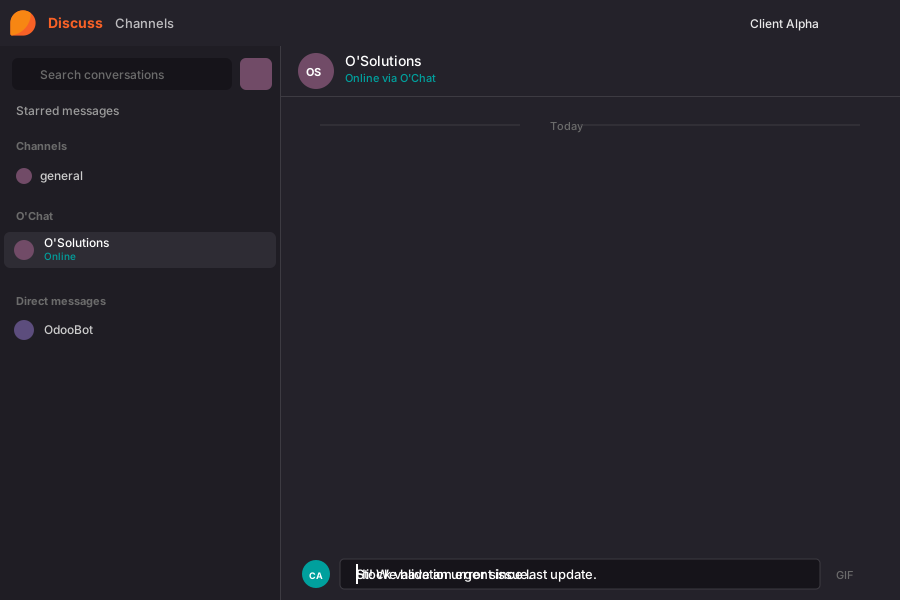
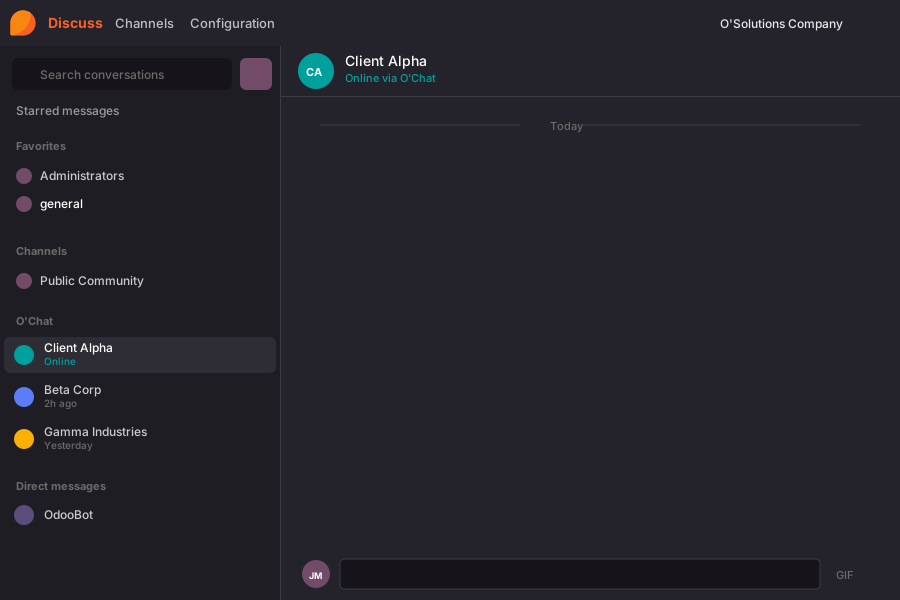
Your client sends a message from their Odoo. You receive it instantly in yours.
Everything you need for seamless communication
One inbox for all clients
Every client Odoo, every conversation, one place. Stop tab-hopping.
Team collaboration built-in
Add colleagues to conversations anytime — they see full history. Only tagged members get notified. Perfect for handovers.
/ticket — Instant escalation
Turn any message into a helpdesk ticket with one command. Context flows automatically.
AI that writes with you
Enrich replies, fix tone, translate, summarize. Your AI copilot for client communication.
Broadcast to everyone
Send announcements to all your clients at once. Perfect for updates, maintenance notices, or news.
Encrypted end-to-end
Messages are encrypted before they leave. We can't read them. Nobody can.
Powerful Slash Commands
Type a command, get things done. No menus, no clicks.
/helpDisplay all available commands in the current O'Chat channel.
/statusShow connection status, encryption details, and remote instance info.
/whoList all members with access to the current channel.
/ticketRequires HelpdeskCreate a helpdesk ticket from the conversation.
/leaveRemove yourself from the current channel.
Up and running in minutes
Connect your instances
Install the O'Chat module on each Odoo instance you want to connect.
Invite your team
Add team members and assign them to specific client channels.
Start communicating
Messages flow seamlessly between instances. Clients stay in their Odoo, you manage everything centrally.
Works with any Odoo instance
O'Chat is compatible with Odoo 17, 18, and 19. Community and Enterprise editions supported.